
If you work odd hours, it’s bad etiquette to send your colleagues messages all hours of the day and night. But it may be that you need to send a reminder to do something and you don’t want to forget. So now you can delay the delivery of your Teams messages.
Type your message – then right click on the Send button. Change the date and time, then click Send at Scheduled Time.
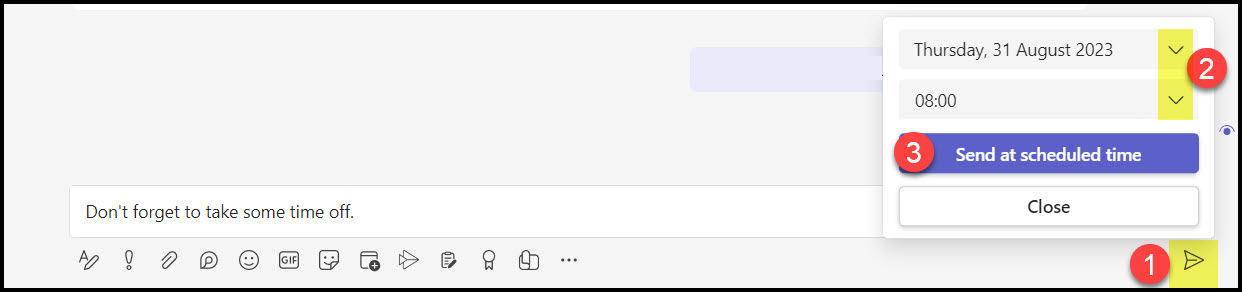
Then you’ll see the date stamp above your message – click Send.

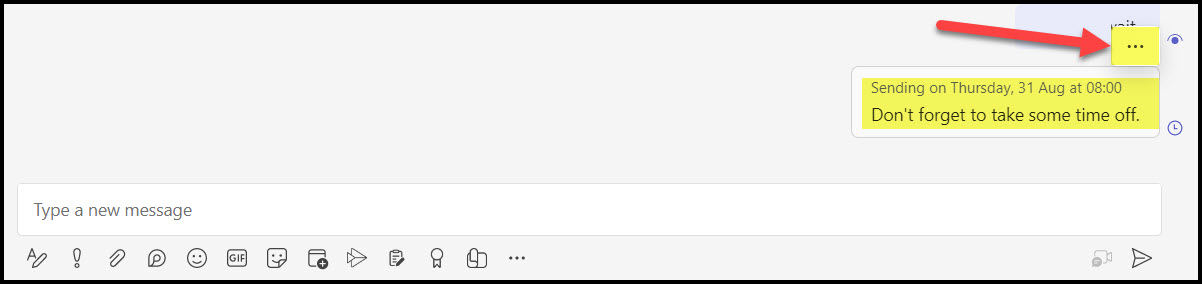
To edit the time slot, hover over the message and you’ll see the clickable three dots.
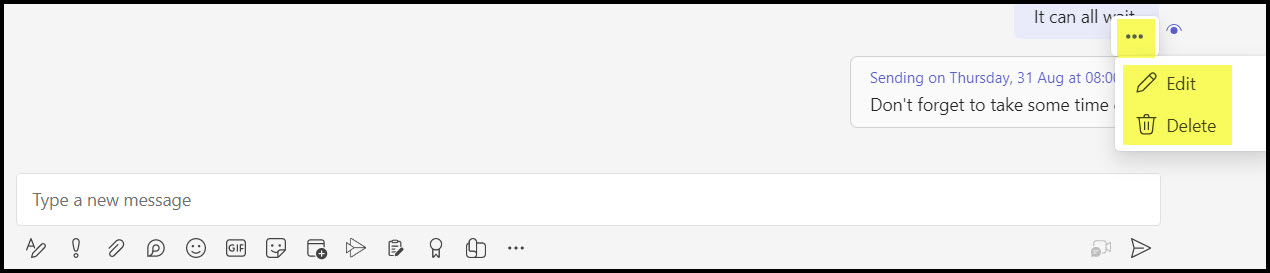
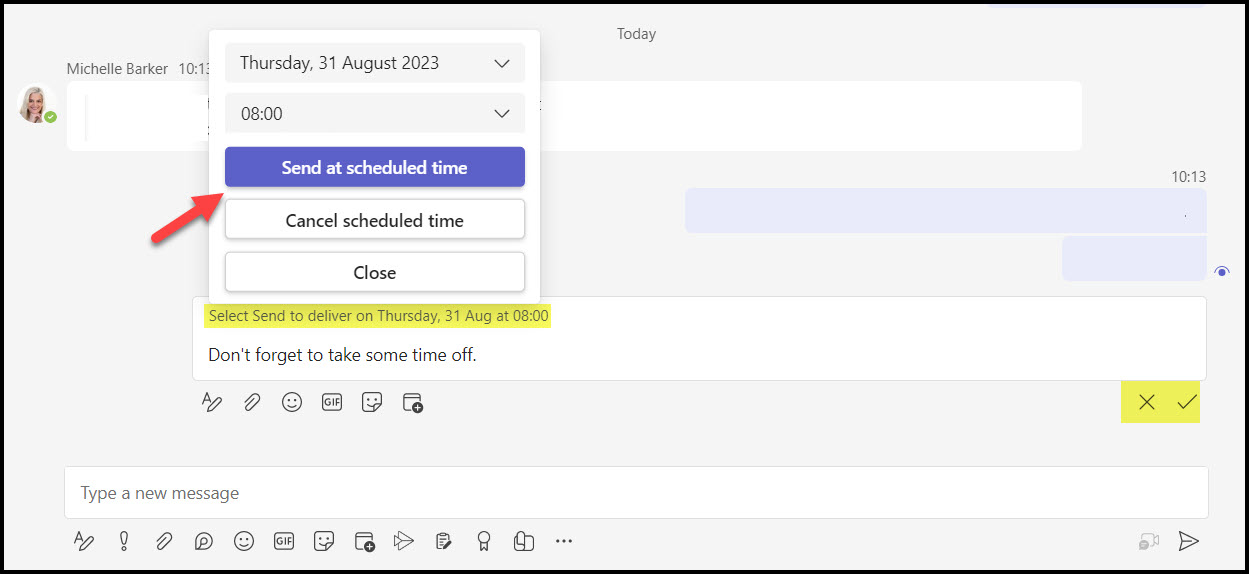
After clicking edit, the time stamp will display, click on it to change or cancel it. Then click the done tick at the bottom to save it.
 Views from Veronique